
Jacquie Lawson Ecards
Microcourt LimitedLifestyle
4.72.72K Reviews
- Version
- 1.2.0
- Installs
- 500.00K
- Age Rating
- Everyone
Screenshots
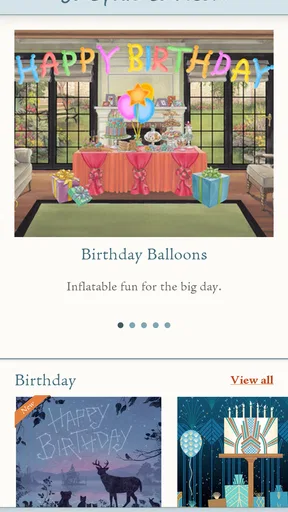
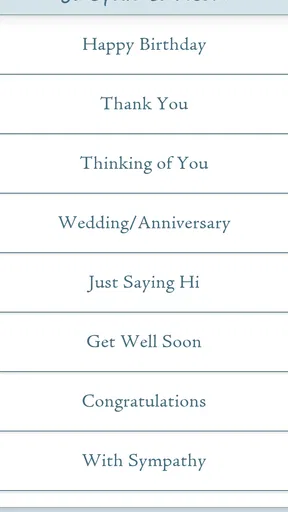
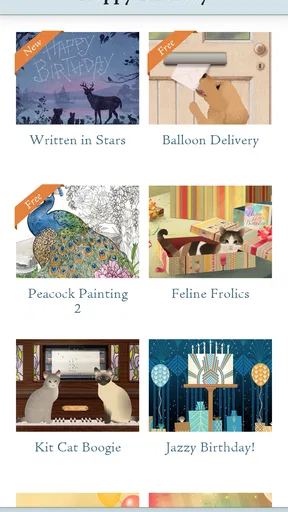
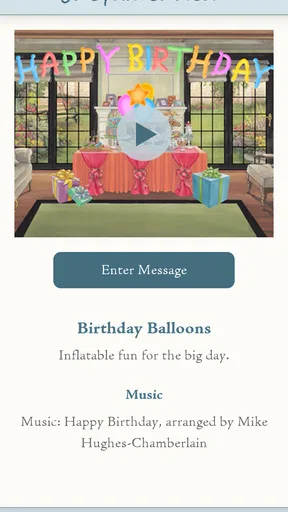
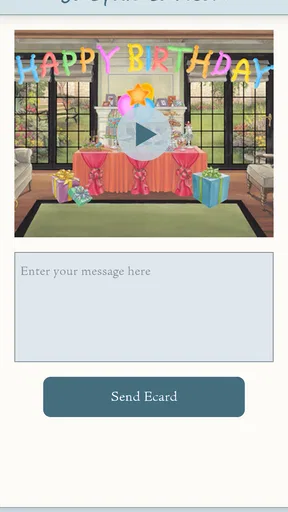
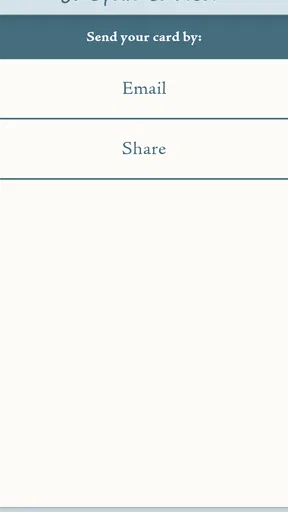
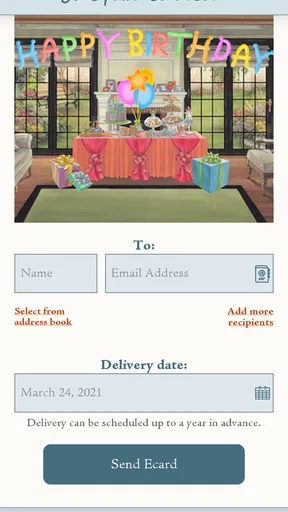
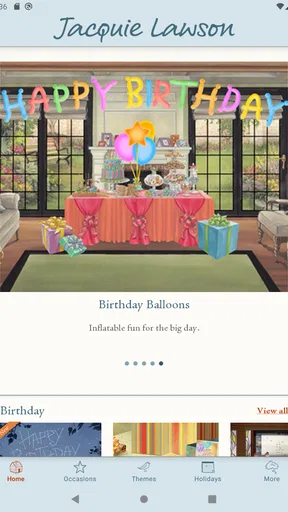
Our Review of Jacquie Lawson Ecards
 Analysis by Appyee
When I want to send a greeting that feels more personal than a typed message but less formal than a physical card, I look for an app that makes the whole process quick without making the result feel disposable. Jacquie Lawson Ecards takes that middle ground seriously. It is a free lifestyle app from Microcourt Limited, built around browsing and sending animated electronic cards, and its main appeal is the sense of occasion it brings to a familiar task.
I found it most useful when I already knew the feeling I wanted to convey but did not want to spend time designing a card from scratch. Instead of starting with a blank canvas, I could browse finished animated designs and choose something that matched a birthday, thank-you message, seasonal greeting, or simple note of affection. That makes the app less like a general design tool and more like a curated card shelf on my phone.
The important question is not whether it can replace every card service. It cannot. The better question is whether you want polished, ready-made animation with minimal effort, or whether you would rather create something completely personal using photos, stickers, text effects, and your own layout. In my experience, this app is strongest when convenience and presentation matter more than unlimited customization.
What I considered before recommending it
Before I recommend it, I weigh more than how attractive a card looks on first opening: I consider whether the app can become a useful part of remembering people without turning every occasion into another task. The balance between a quick, polished greeting and the extra steps of choosing and sending one matters most. That leads to the specific strengths I think make it worth keeping around.
The right starting point for a quick decision
I would judge this app on four practical points: how quickly I can find an appropriate design, whether the card feels warm rather than automated, how much control I have over the message, and whether the sending process suits the people I am contacting. Those criteria matter more here than the sheer number of designs. A large catalog is only useful if browsing remains comfortable and the available style fits the occasion.
The app’s store summary describes its core purpose plainly: browse and send animated ecards. That simplicity is a strength. I do not have to learn a design interface before sending a greeting. I can approach it with a specific situation in mind, such as remembering a relative’s birthday during a busy workday, and move from choosing a card to writing a message without turning the task into a project.
It is also worth deciding how important animation is to the recipient. Some people enjoy a card that unfolds visually and feels like a small event. Others prefer a quiet image or a plain message they can read instantly. If the person receiving it checks messages on an older phone, has limited patience for decorative content, or simply dislikes animated greetings, a conventional text, email, or physical card may be a better fit.
Browsing is more useful when I decide the tone first
My most useful habit with this type of app is choosing the emotional tone before opening the catalog. “Warm and understated,” “playful,” “formal,” and “celebratory” are more helpful starting points than browsing randomly. Without that decision, it is easy to spend too long looking at attractive designs that do not quite suit the recipient.
I also recommend thinking about the relationship before choosing the artwork. A card for a close friend can be expressive and lighthearted, while one for a colleague or an older family member may need a calmer presentation. The animation may attract attention, but the wording still carries the message. I would rather choose a visually modest card with a sincere note than an elaborate design that feels disconnected from the person receiving it.
Why the app feels different from a blank editor
Most general-purpose card makers begin with customization. They give me tools, templates, images, fonts, and editing controls, then expect me to assemble the result. Jacquie Lawson Ecards takes the opposite approach: the finished creative direction is largely established before I arrive. That reduces decision fatigue and is especially helpful when I am sending something at the last minute.
This trade-off is central to the experience. I gain consistency and speed, but I give up the freedom to make every visual detail mine. For a person who enjoys arranging photos and adjusting colors, that may feel restrictive. For someone who wants a card that already looks considered, it is a welcome shortcut.
Where Jacquie Lawson Ecards wins
Its best case is not simply that the cards move; it is that a finished design can help me make a small gesture feel considered when I have little time or creative energy. I also look at whether that benefit holds up across different occasions, rather than relying on novelty alone. With those expectations in mind, the next question is where its curated style is a genuine advantage.
It turns a rushed greeting into a deliberate gesture
The app’s strongest quality is emotional efficiency. It helps me send something that appears more thoughtful than a one-line message without requiring the time involved in buying, writing, scanning, and mailing a paper card. That matters in ordinary situations: I may remember an occasion while commuting, during a lunch break, or after shops have closed. A ready-made animated greeting gives me a way to act on that thought immediately.
Imagine that a family member has helped me with a difficult task and I want to say thank you the same evening. A text would be fast, but it might feel too casual. A physical card would be more tangible, but it would arrive later. I can use this app to choose a suitable design, add a message in my own words, and send the greeting while the moment still feels current. That is a specific advantage over traditional alternatives.
The visual presentation does more work than a plain message
Animation gives the greeting a sense of arrival. Instead of seeing a static image in a conversation thread, the recipient gets a small visual presentation that can make the act of opening the card feel distinct from reading another notification. I would not use animation for every message, but for birthdays, congratulations, seasonal occasions, or a thoughtful thank-you, it adds a little ceremony.
This is also where the app can outperform a generic messaging sticker. Stickers and GIFs are useful for quick reactions, yet they often communicate a single mood rather than a complete greeting. A dedicated ecard is better suited to a message that needs a beginning, a visual theme, and a clear occasion. The result feels more intentional without forcing me to create the artwork myself.
The curated approach helps people who are not designers
I appreciate that the app does not assume I know how to make attractive digital stationery. General design apps can be powerful, but they can also make a simple greeting feel like an editing assignment. Choosing among prepared cards is more approachable for a parent, older relative, or anyone who would rather write a message than adjust layers and typography.
That makes the app useful for households where one person usually remembers occasions and another person does not enjoy technology. I could recommend it to someone who wants a polished result but would be uncomfortable with a complex editor. The age rating is Everyone, which fits the broad, everyday nature of the app, although the most suitable design still depends on the recipient and occasion.
It has enough traction to feel like an established choice
The app has an average rating of 4.7 from around 23 thousand ratings, with roughly 2.7 thousand written reviews. It has also passed 500 thousand installs. Those figures do not guarantee that every person will enjoy the browsing style, but they do suggest that the basic promise resonates with a substantial audience.
I would treat that popularity as reassurance rather than proof. A card app is personal: one person may love a rich animated presentation while another may find it excessive. The useful takeaway is that this is not an obscure experiment; it is a recognizable option for people who specifically want animated ecards.
Small workflow habits make the experience better
One non-obvious advantage is that the app can change how I handle occasions throughout the year. Rather than waiting until the exact day, I can browse when I have a quiet moment, identify a suitable style, and return to the sending task when I am ready to write. That separates the creative decision from the time pressure of the occasion.
I also find it helpful to draft the message outside the app when the greeting is important. Writing the personal wording in a notes app first lets me edit the sentiment without being distracted by the card preview. This is particularly useful for sympathy, congratulations, or a thank-you where a few carefully chosen sentences matter more than the visual effect.
A third useful tip is to treat the animation as the opening, not the entire message. I would avoid relying on the design to communicate everything. Mentioning a shared memory, naming the specific favor I appreciate, or adding a direct wish for the recipient makes the ecard feel chosen rather than forwarded.
What the free download really means
The app is free to download, which makes trying the basic browsing experience low-risk. However, it includes in-app purchases ranging from $7.99 to $35.99 per item. That means I would not assume that every card or collection I might want is included at no cost. Before becoming invested in a particular design, I would check whether it requires a purchase and decide whether that occasion justifies the expense.
This pricing structure changes the comparison with ordinary messaging apps. A text message may already be covered by a phone plan or internet connection, while a paper card usually involves a modest one-time purchase plus postage. Paid digital cards can still be worthwhile when speed and animation are important, but they are not automatically the cheapest way to send a greeting.
Current software details that matter
The app’s current version is 1.2.0, and it requires an operating system version of 9 or later. On a compatible device, that should make it accessible to many people who do not use the newest phone available. I would still check the device’s software before recommending it to someone using an older handset, especially if they rarely update their operating system.
The developer is Microcourt Limited, while “Jacquie Lawson” is the short description associated with the app. I mention that because it helps distinguish the recognizable card style from the broader category of generic greeting-card editors. The experience is built around that particular identity rather than presenting itself as an all-purpose social design platform.
Where another option may fit better
A focused ecard app will not suit everyone’s habits, even when its presentation is appealing. I would choose another approach if a greeting needs a personal photograph, a physical keepsake, or the immediacy of an ongoing conversation; I also consider whether a recipient enjoys animated cards before sending one. Those boundaries are useful to recognize, and they clarify when this app’s particular format is the right fit.
Choose a design editor when personal photos are the priority
If my goal is to create a card around a family photograph, a child’s drawing, or a carefully arranged collage, I would choose a general design app instead. Those tools are better when the image itself is the message and I need precise control over cropping, text placement, colors, and layout.
That does not make this app weak; it simply defines the boundary of its convenience. A curated animated ecard can feel elegant, but it will not offer the same sense of authorship as a card built from a photograph I took myself. For milestone events where personal history matters, the extra editing time may be worth it.
Use ordinary messaging for speed and conversation
For a quick “thinking of you” note or a reply within an active conversation, a messaging app is usually the better tool. It is already where the recipient is talking to me, and it keeps the exchange immediate. Opening a separate ecard can feel unnecessary when the message only needs a few words.
I would reserve this app for moments where I want to mark the occasion. The distinction is simple: messaging is better for ongoing contact, while an ecard is better when I want the greeting to stand apart and feel like a small presentation.
Pick a physical card when permanence matters
A digital greeting cannot replace the experience of holding a card, displaying it on a shelf, or finding it later in a drawer. If the recipient values keepsakes, has unreliable internet access, or prefers handwritten notes, a physical card is the more appropriate choice. The delay and effort are part of its meaning, not merely inconveniences.
There is also a difference in attention. A paper card can remain visible for days, whereas an animated ecard may be opened once and then disappear among other digital messages. I would use the app for immediacy and visual delight, not when the physical object is central to the gesture.
Animation is not automatically suitable for serious occasions
I would be selective with sensitive messages. A lively animated presentation may work for celebration, gratitude, or encouragement, but it can feel mismatched for grief, illness, or a deeply formal apology. In those situations, a restrained personal message, a phone call, or a handwritten card may communicate better.
This is one of the app’s most important limitations: its defining feature also creates a risk of tonal mismatch. Before sending, I would imagine the recipient opening the card in their actual situation, not just judge whether the design looks attractive in the catalog.
The cost of switching is mostly about habits and expectations
Moving from text messages or physical cards to an animated ecard app is not technically difficult, but it does change my routine. I need to remember to browse, select a design, write a message, and consider whether the recipient will appreciate the format. If I usually send greetings spontaneously inside a conversation, this extra step may feel like friction.
There is also a social adjustment. Some recipients may respond warmly to the presentation, while others may simply prefer direct communication. I would start with people who already enjoy digital greetings rather than sending animated cards to everyone automatically. That makes the switch feel intentional instead of turning every occasion into the same type of notification.
The purchase model is another switching consideration. The free download allows me to explore the app, but paid items can change the economics of regular use. If I send many greetings throughout the year, I should decide on a personal spending limit before browsing. That prevents an attractive design from making the decision for me at the final step.
Who should skip it
I would skip this app if I need complete visual control, want to use my own photos as the main content, or dislike animated greetings on principle. I would also choose another method if the recipient has limited access to digital messages or values a physical keepsake more than immediate delivery.
It is not the right replacement for a conversation, a handwritten letter, or a bespoke design workflow. Its purpose is narrower and clearer: helping me send a finished animated greeting with a personal note and very little creative setup.
My recommendation after testing the decision
I recommend Jacquie Lawson Ecards to anyone who wants a greeting to feel more special than a text but easier than a mailed card. The strongest use cases are birthdays, congratulations, seasonal wishes, thank-you messages, and friendly encouragement when I want to act quickly without sending something that looks entirely generic.
I would begin with the free download, browse with a specific recipient and tone in mind, and read the purchase details before committing to a design. I would also spend more time on the message than on the animation. The artwork creates the occasion, but the personal wording is what makes the card feel directed to one person rather than selected from a shelf.
My final view is positive but deliberately qualified. This is a focused lifestyle app, not a universal greeting solution. It wins through ready-made presentation, low creative effort, and the extra sense of occasion created by animation. It loses ground when customization, physical permanence, instant conversation, or strict budget control matters more.
For me, that clarity is its biggest advantage. I know when to reach for it: when a plain message feels too thin and a physical card feels too slow. If that is the gap you are trying to fill, Jacquie Lawson Ecards is a thoughtful shortcut rather than a generic card generator. Just match the animated style to the person, write something genuinely personal, and remember that the free download may lead to individual in-app purchases.
Verdict
Strengths of Jacquie Lawson Ecards
- Beautifully animated cards with polished artwork and music.
- Wide selection for birthdays, holidays, weddings, and special occasions.
- Personalized messages make cards feel more thoughtful and unique.
- Cards can be scheduled in advance for important dates.
- Available on both Android and iOS devices.
Limitations of Jacquie Lawson Ecards
- Most premium cards require a paid subscription or purchase.
- Some animations may take time to load on slower connections.
- The app can feel expensive for users who send cards infrequently.
- Limited customization compared with designing a card from scratch.
- Recipients may need a compatible device or browser for the best experience.
Similar Picks in This Category
View All
SmartThings
Samsung Electronics Co., Ltd.4.6

Google Home
Google LLC4.0

Pinterest4.2

Astrotalk - Talk to Astrologer
Astrology & Horoscope4.7

My Verizon
Verizon Consumer Group4.5

Samsung Wallet (Samsung Pay)
Samsung Electronics Co., Ltd.4.1
Frequently Asked Questions
What is Jacquie Lawson Ecards?
Jacquie Lawson Ecards is a digital greeting-card app and service featuring illustrated cards for birthdays, anniversaries, holidays, weddings, thank-you messages, and other occasions. Its cards are known for polished artwork, music, animation, and interactive scenes. Instead of sending a basic static image, you can choose a more elaborate presentation and personalize the message before sharing it with the recipient.
Is Jacquie Lawson Ecards free to use?
The app may be free to download, but access to the full collection and sending features generally depends on the plan or purchase options available in your region. Some content may be limited until you subscribe or buy an ecard package. Before downloading, check the current listing and in-app pricing, because membership terms, renewal conditions, and available card collections can change over time.
Can I schedule an ecard to be delivered later?
Yes, scheduling is one of the most useful features for people who want to prepare greetings in advance. After selecting and personalizing a card, you can usually choose a future delivery date, which is convenient for birthdays, anniversaries, holidays, and other important occasions. You should still confirm the recipient’s email address and review the scheduled date before completing the sending process.
Can Jacquie Lawson Ecards be sent to anyone, and do recipients need the app?
Ecards are generally delivered through a link or email, so the recipient does not normally need to install the app or create an account to view the greeting. However, the experience can depend on the recipient’s device, browser, email settings, and internet connection. If a card includes animation, music, or interactive elements, viewing it in a modern browser with sound enabled may provide the best result.
Does Jacquie Lawson Ecards work on both Android and iPhone?
Jacquie Lawson Ecards is designed for mobile users, but exact compatibility depends on the current Android and iOS versions supported by the developer. Before installing, check the app-store requirements, available storage, and whether your device can run the latest version. An internet connection is usually needed to browse, customize, send, or open cards, particularly those containing animated or interactive content.
